
Computer use or API? When a screen agent is the right call
GPT-6.1 Terra makes computer use cheaper. When an API or an MCP server covers the action, it still wins. When computer use makes sense, and where the browser actually runs.
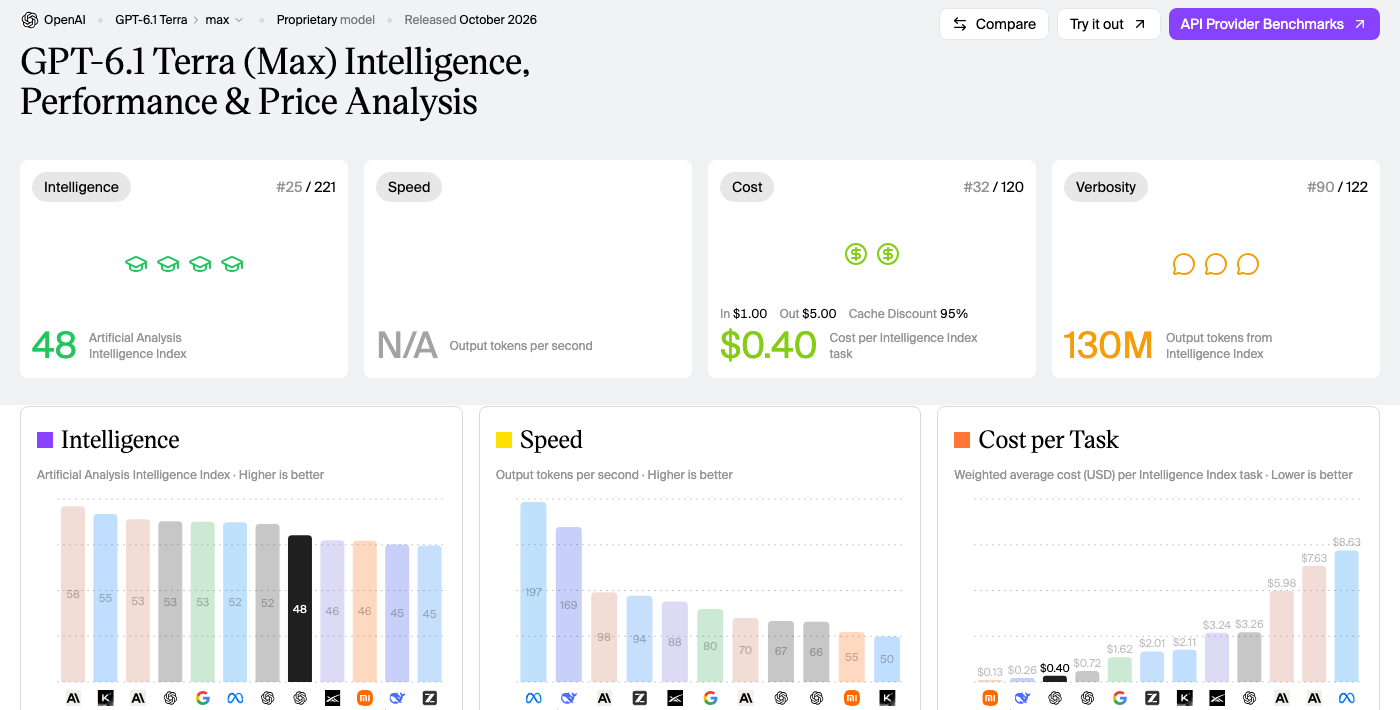
OpenAI released GPT-6.1 Terra on 26 October 2026. It's a model built for computer use, priced at $1 per million input tokens and $5 per million output tokens. OpenAI reports it is about 9x cheaper per task than Claude Opus 5.5 on its own computer-use benchmark.
Artificial Analysis ranks it independently on general tasks, not computer use: 48 on its Intelligence Index, 25th of 221 models, for $0.40 per task at max effort. Its speed isn't measured yet.
Computer use means the agent works through the screen: it takes a screenshot, decides where to click or what to type, acts, then takes another screenshot. It works on any interface a person can use. Cheaper doesn't mean it should replace your APIs.
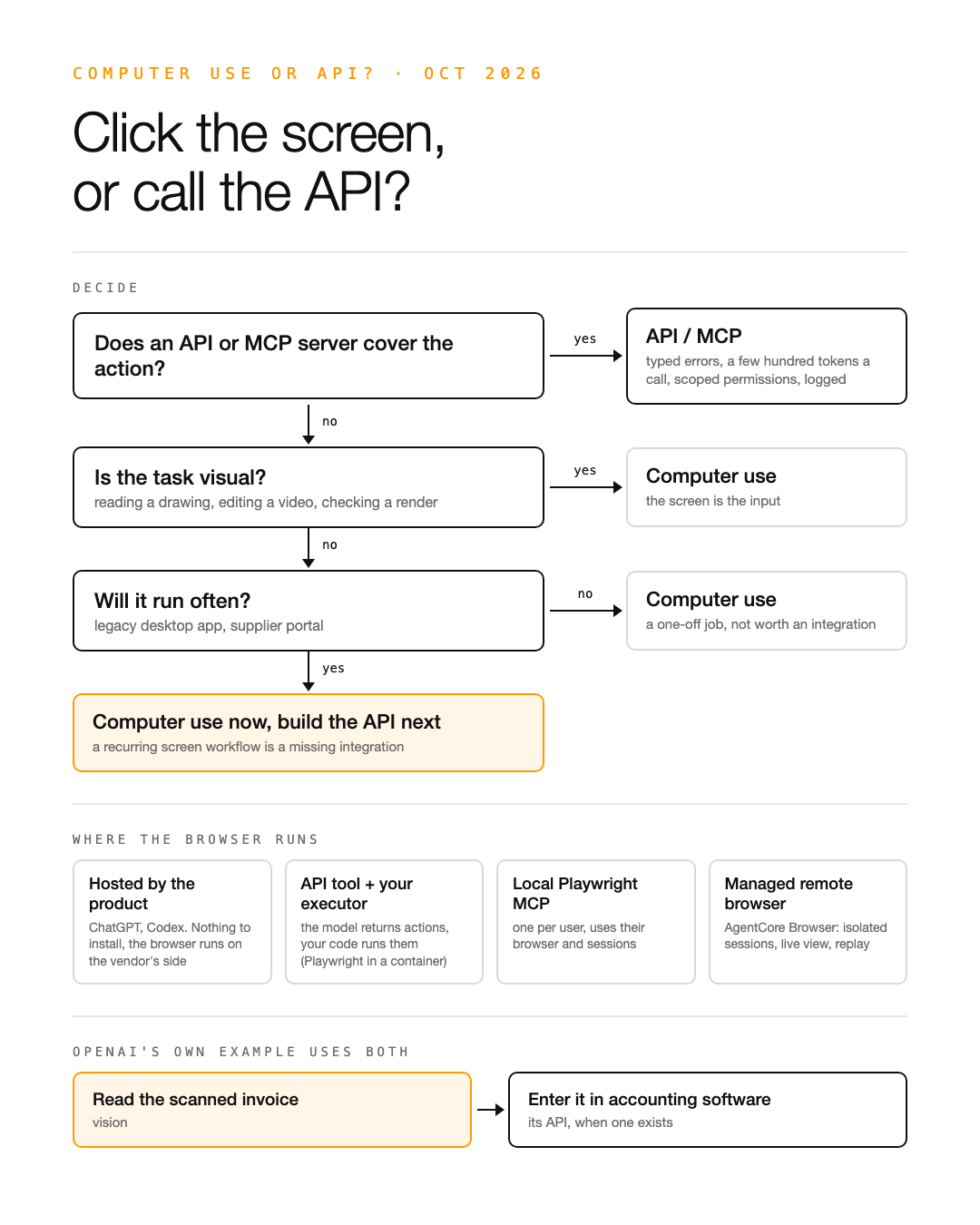
When an API or an MCP server covers the action, use it
- —Errors: a typed call either succeeds or returns an error. A click can land on a popup or a button that moved, without any error.
- —Cost: one call costs a few hundred tokens. A screenshot loop costs thousands per step.
- —Permissions: you can scope an IAM role or an OAuth token to one action and log it. A screen agent has the rights of the whole session.
- —Injection: anything displayed on screen, an email or a web page, can carry instructions for the agent.
When computer use makes sense
- —There is no API: legacy desktop software, supplier portals, internal tools without an SDK.
- —The task is visual: reading a technical drawing, editing a video, checking that a page renders correctly.
- —It's a one-off job, and writing the integration would cost more than doing the task once.
If a screen workflow runs every week, it's a missing integration: keep computer use for now and build the API next. OpenAI's own example uses both. Reading a scanned invoice needs vision. Entering it into accounting software should go through the software's API when one exists.
Where the browser runs
The model doesn't drive a browser on its own: it returns actions, and something has to run them.
- —Hosted by the product: ChatGPT and Codex run the browser on the vendor's side.
- —An API tool and your own executor: the model returns actions, your code runs them, for example Playwright in a container.
- —A local Playwright MCP server, one per user, using their own browser and logged-in sessions.
- —A managed remote browser: on AWS, AgentCore Browser runs isolated sessions of up to 8 hours, with live view, CloudTrail logging and session recording to S3.
For a team of users, a managed remote browser is easier than installing an MCP server on every machine. What you give up is the users' logged-in sessions, so authentication has to be handled separately.
Sources
- —Introducing GPT-6.1 Terra, OpenAI
- —GPT-6.1 Terra, Artificial Analysis
- —Amazon Bedrock AgentCore Browser, AWS documentation
Working on agents in production on AWS?